Settings
Customize the app to match your needs and test requirements. The Settings screen is your control center for tailoring the study experience to your specific situation.
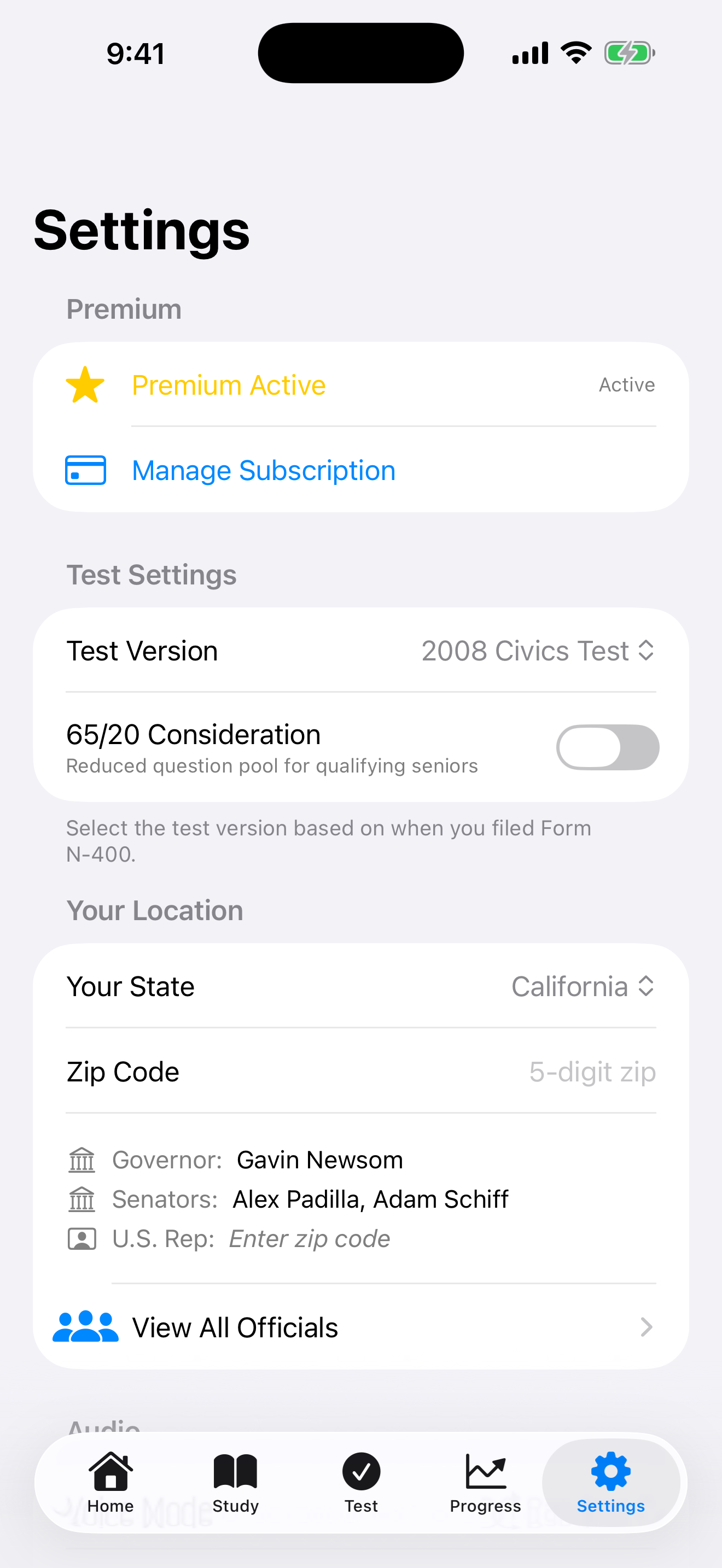

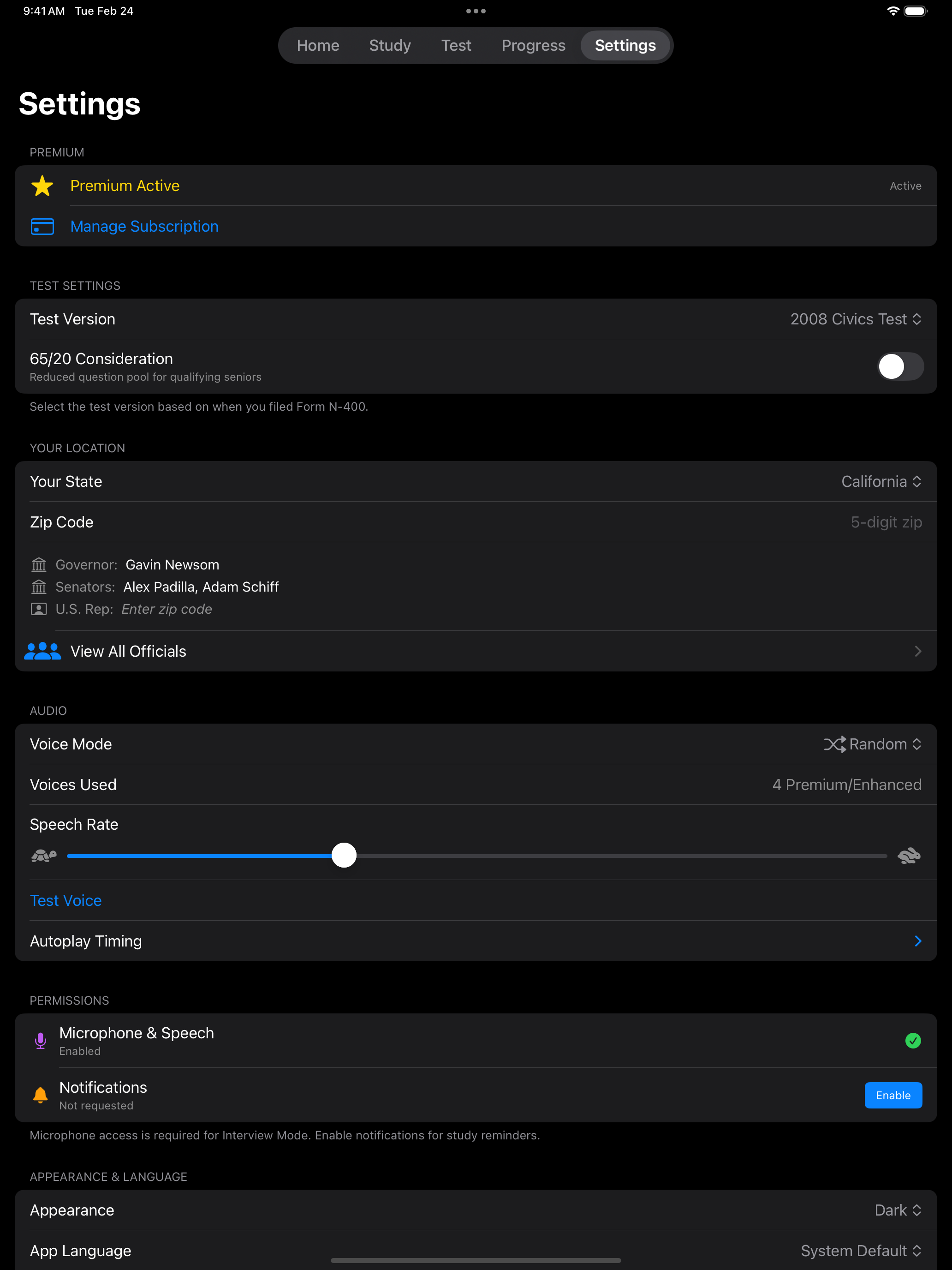
Test Settings
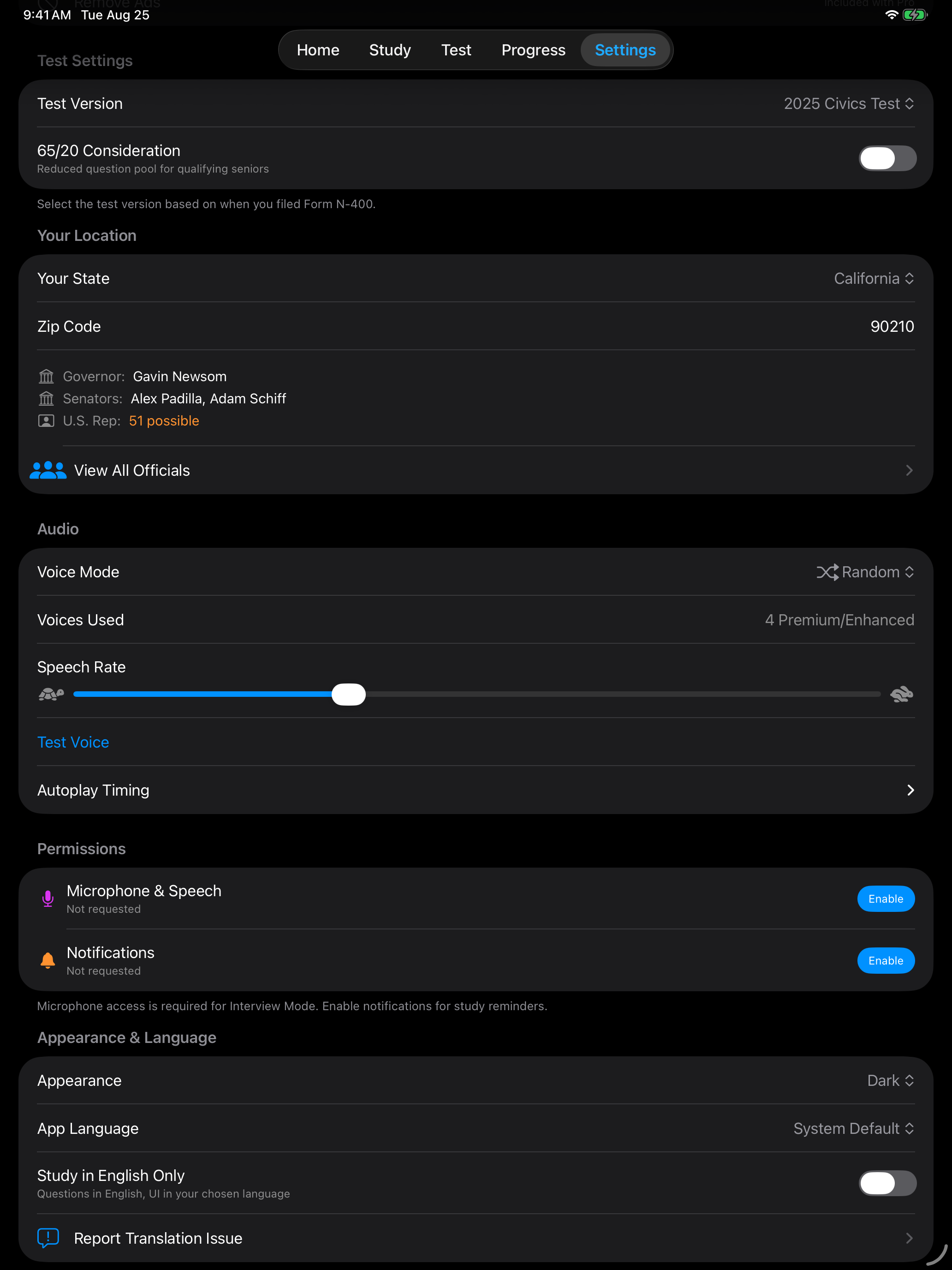
The first thing to configure is your test version. Which version you need depends on when you filed your Form N-400. Getting this right ensures you study the correct question set.
| Setting | Options | Description |
|---|---|---|
| Test Version | 2008 Test (100 questions), 2025 Test (128 questions) | Choose based on your N-400 filing date. Filed before October 20, 2025 → 2008 Test. Filed on or after → 2025 Test. |
| 65/20 Consideration | On / Off | Enable if you are 65+ years old and have been a permanent resident for 20+ years. Switches to the designated 20-question pool. |
Check the date on your N-400 receipt notice (Form I-797C) if you are unsure which test version applies to you.
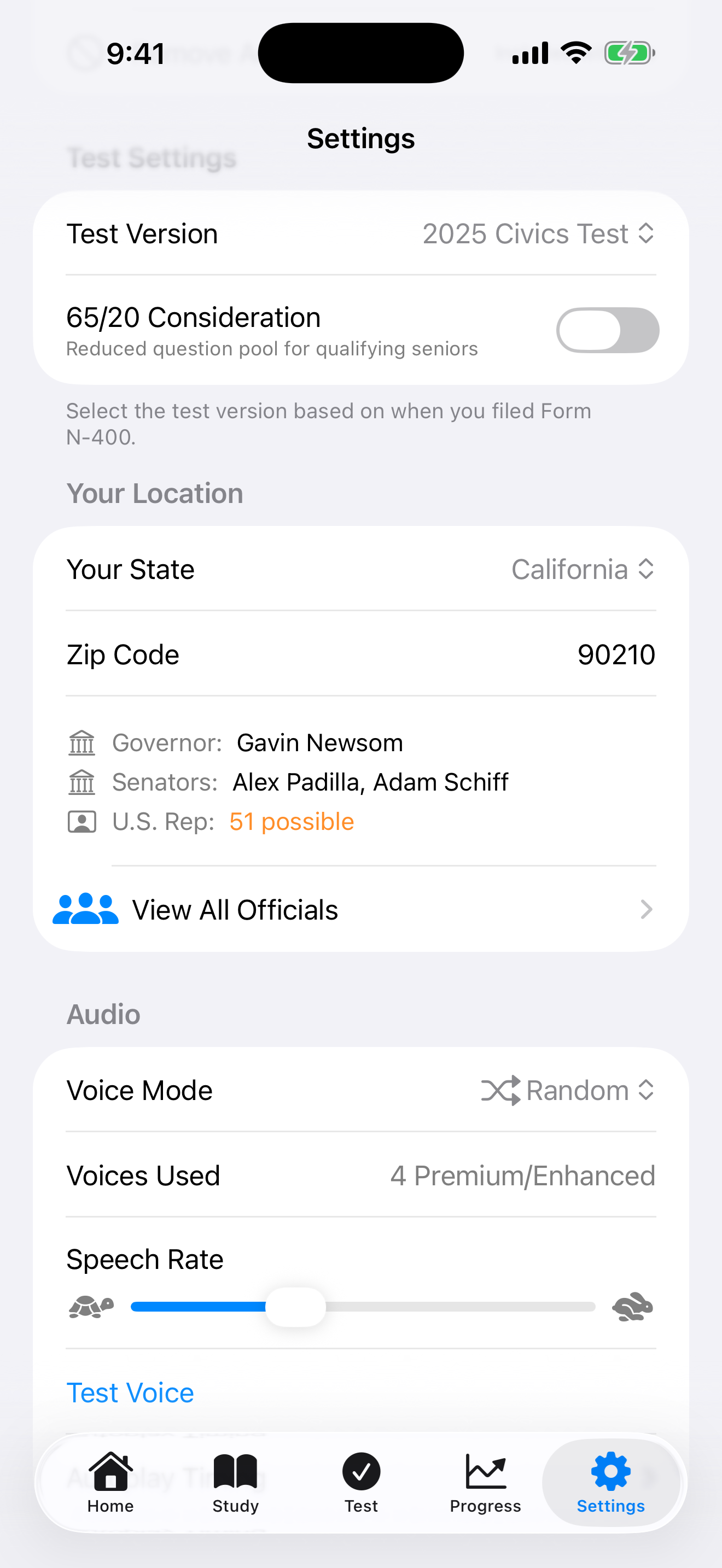
State Selection
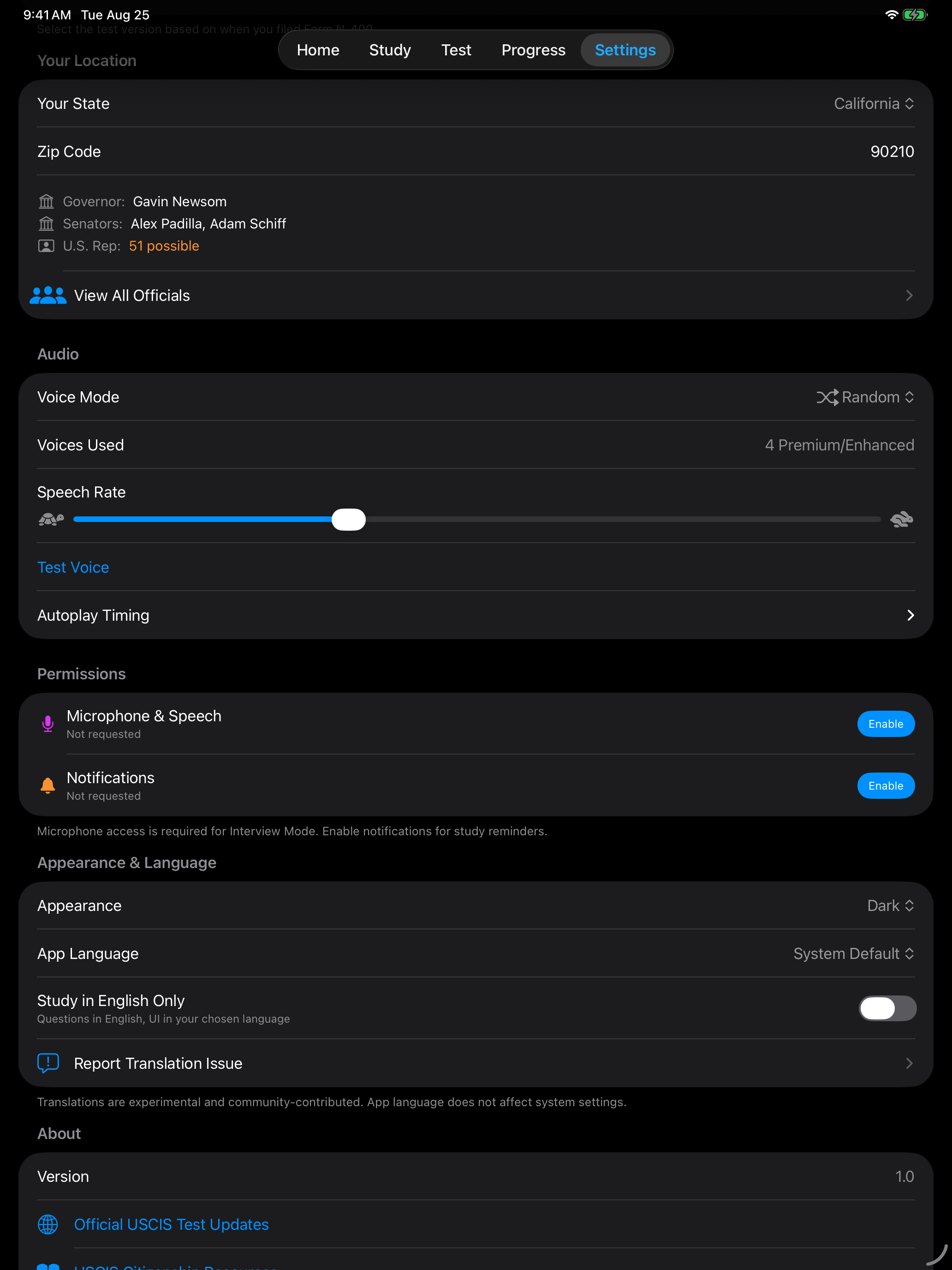
Some civics questions have state-specific answers, including your Governor, U.S. Senators, and U.S. Representative. Selecting your state ensures the app shows the correct officials for your location.
| Setting | Options | Description |
|---|---|---|
| State | All 50 states + U.S. territories | Sets the correct answers for questions about your Governor, Senators, and Representative. |
Update your state selection if you move. State officials are updated with each app release. Verify current officials at uscis.gov.
Language
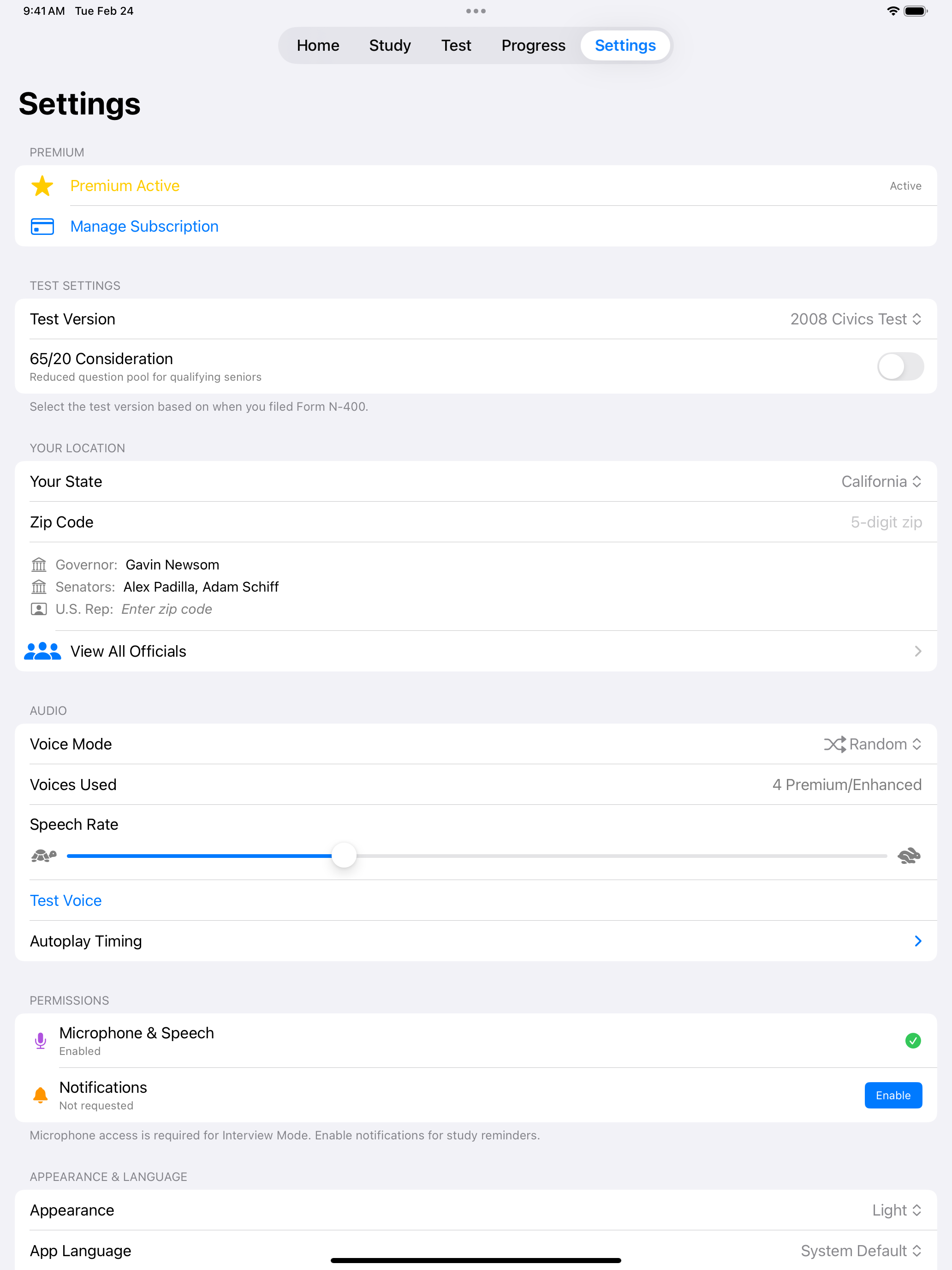
The app interface is available in 12+ languages, so you can study civics content in the language you are most comfortable with while building English skills through the reading and writing tests.
| Setting | Options | Description |
|---|---|---|
| App Language | Spanish, Portuguese, French, Chinese (Simplified), Chinese (Traditional), Korean, Vietnamese, Arabic, Hindi, Turkish, Russian, Tagalog | Changes the app interface and civics study materials to your preferred language. |
Reading and writing tests remain in English regardless of your language setting, since the USCIS test requires demonstrating English proficiency.
Appearance
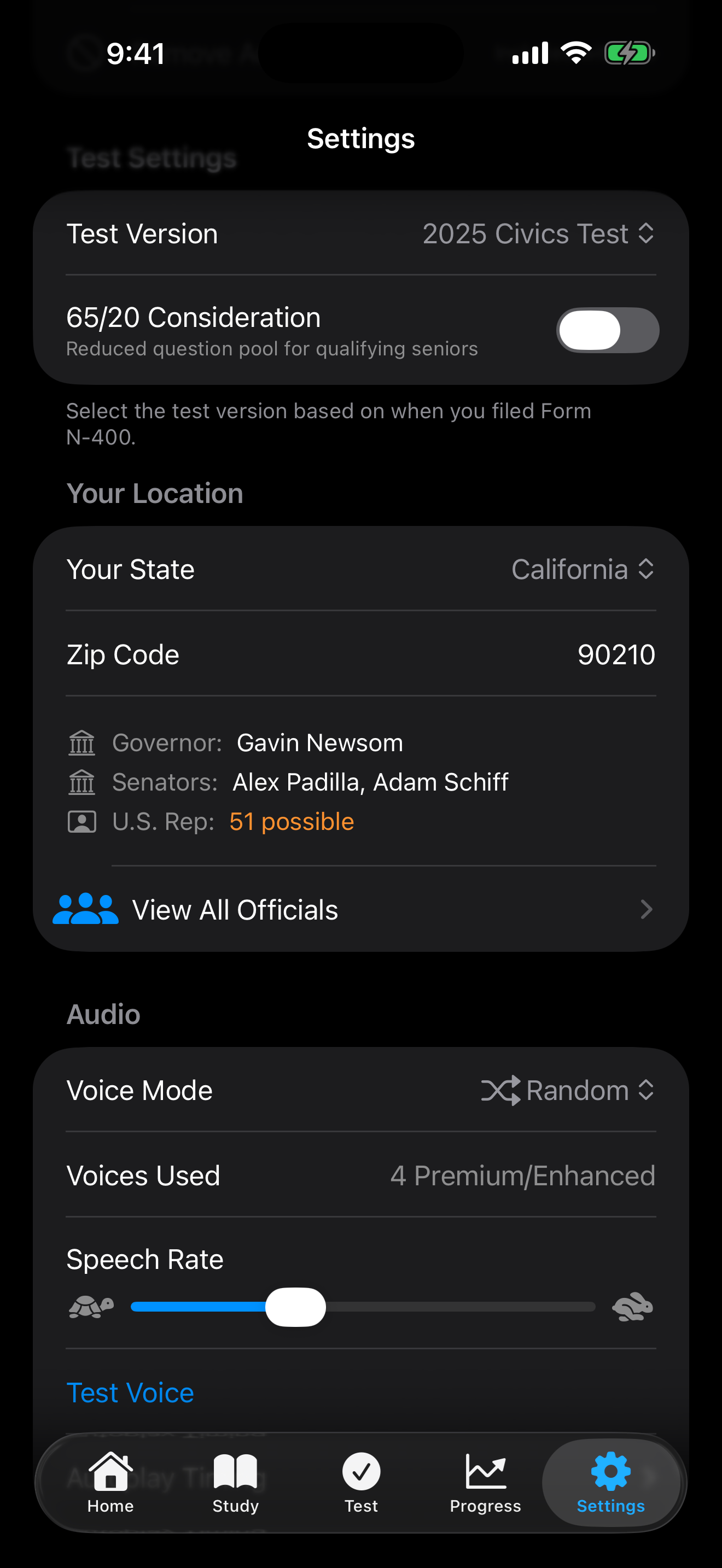
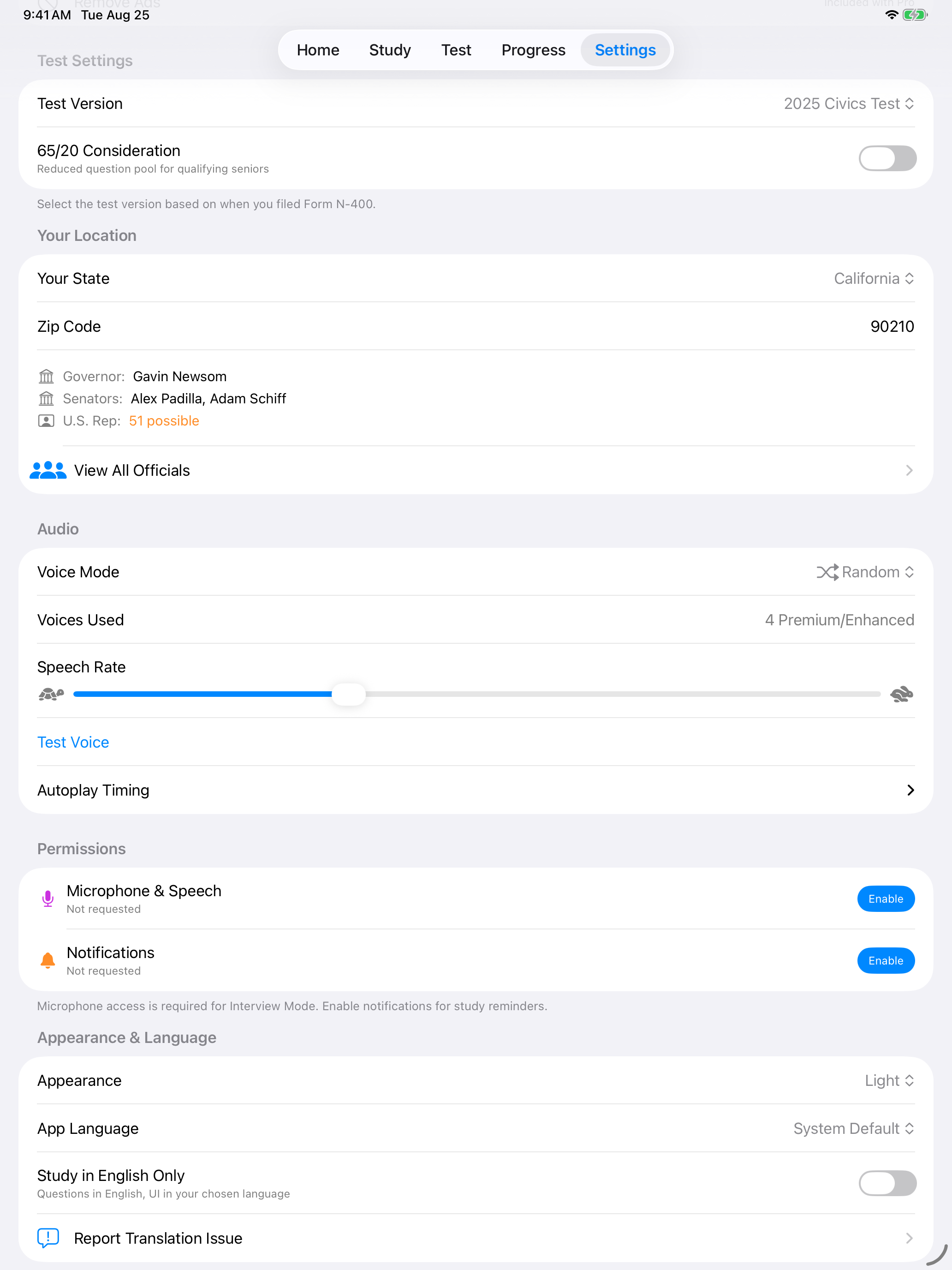
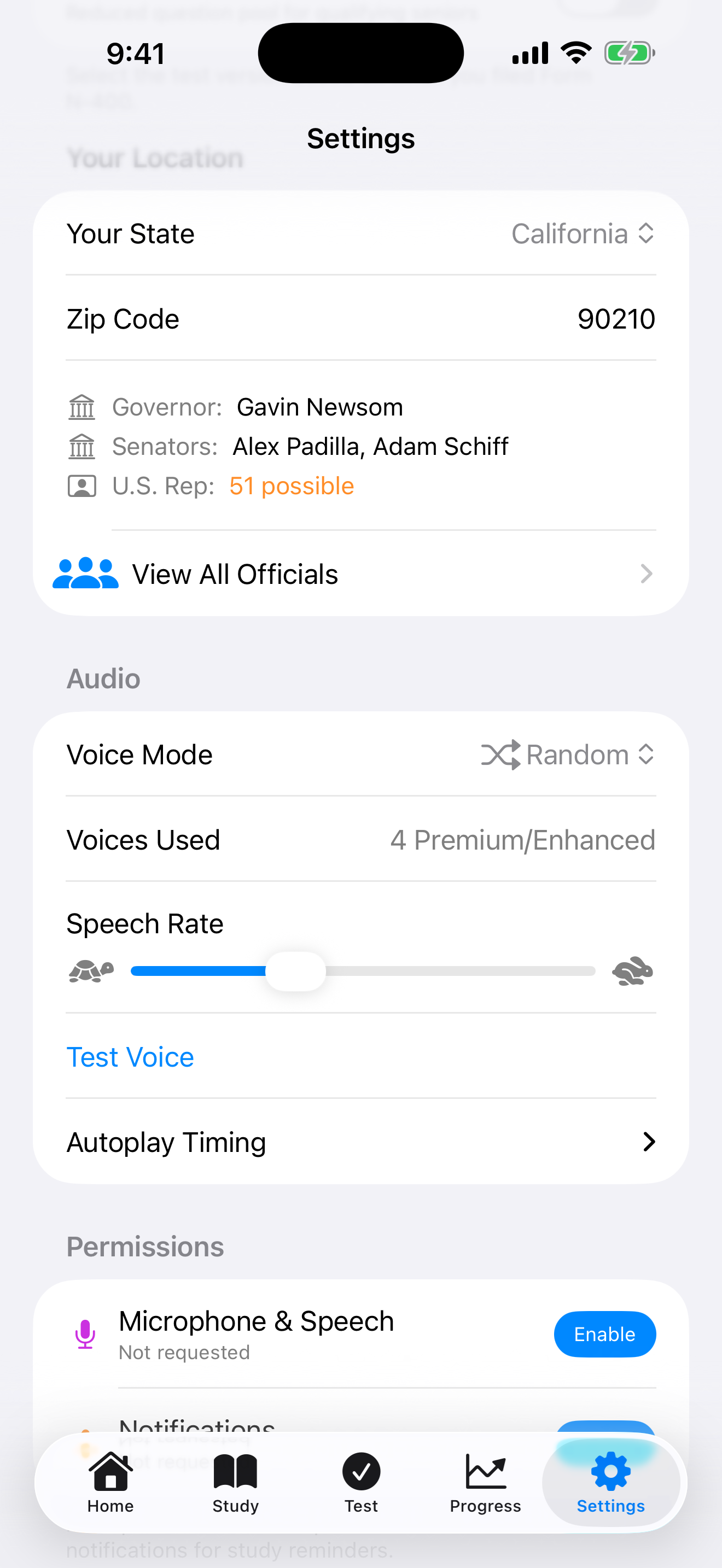
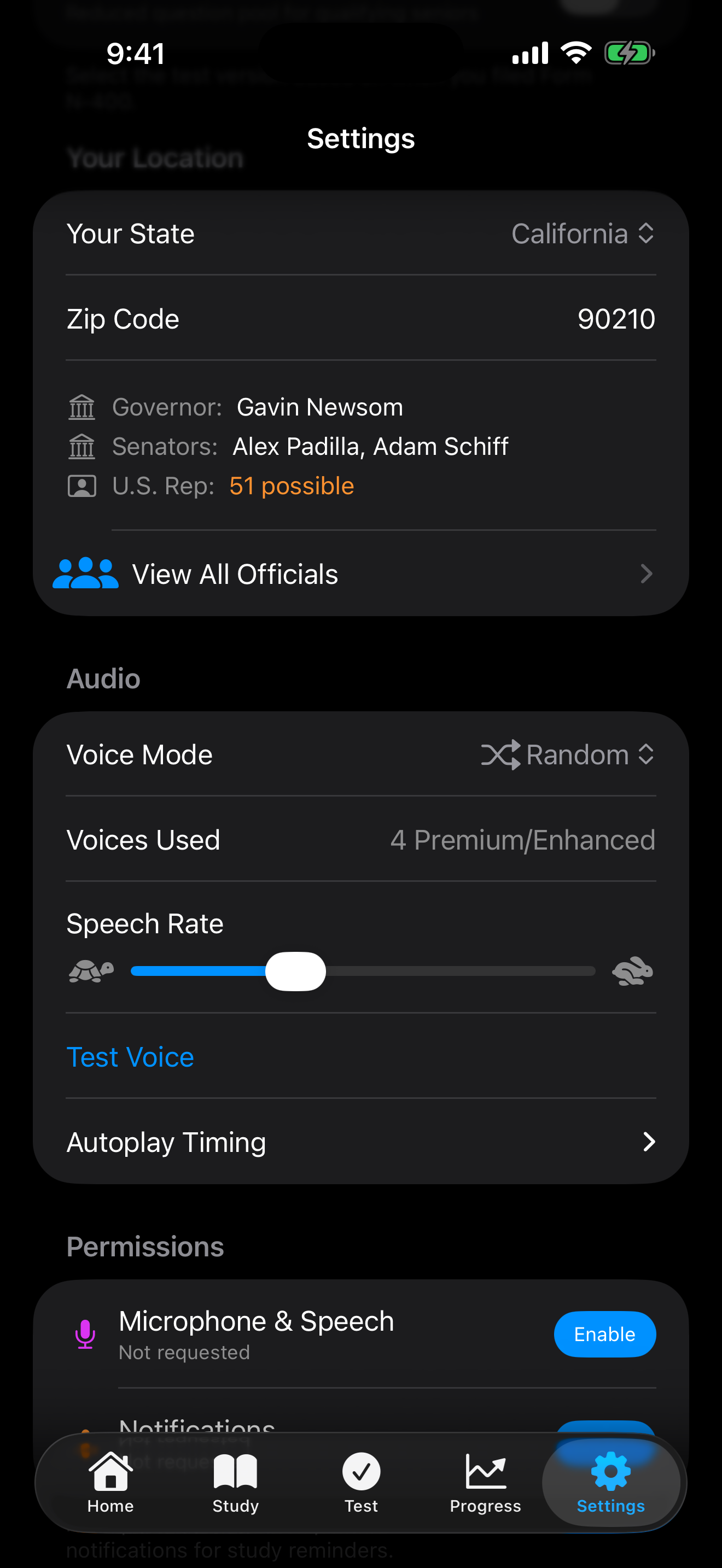
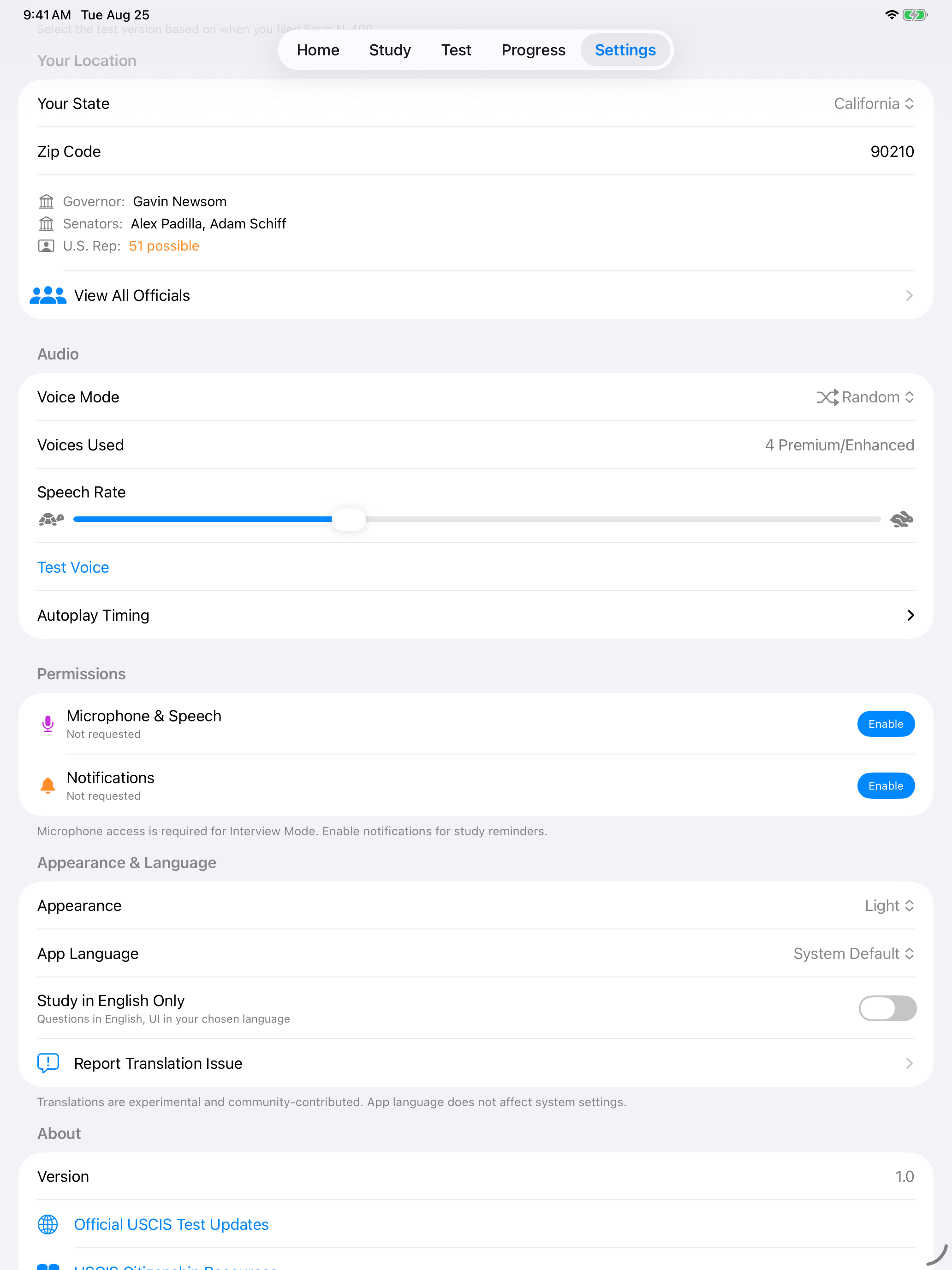
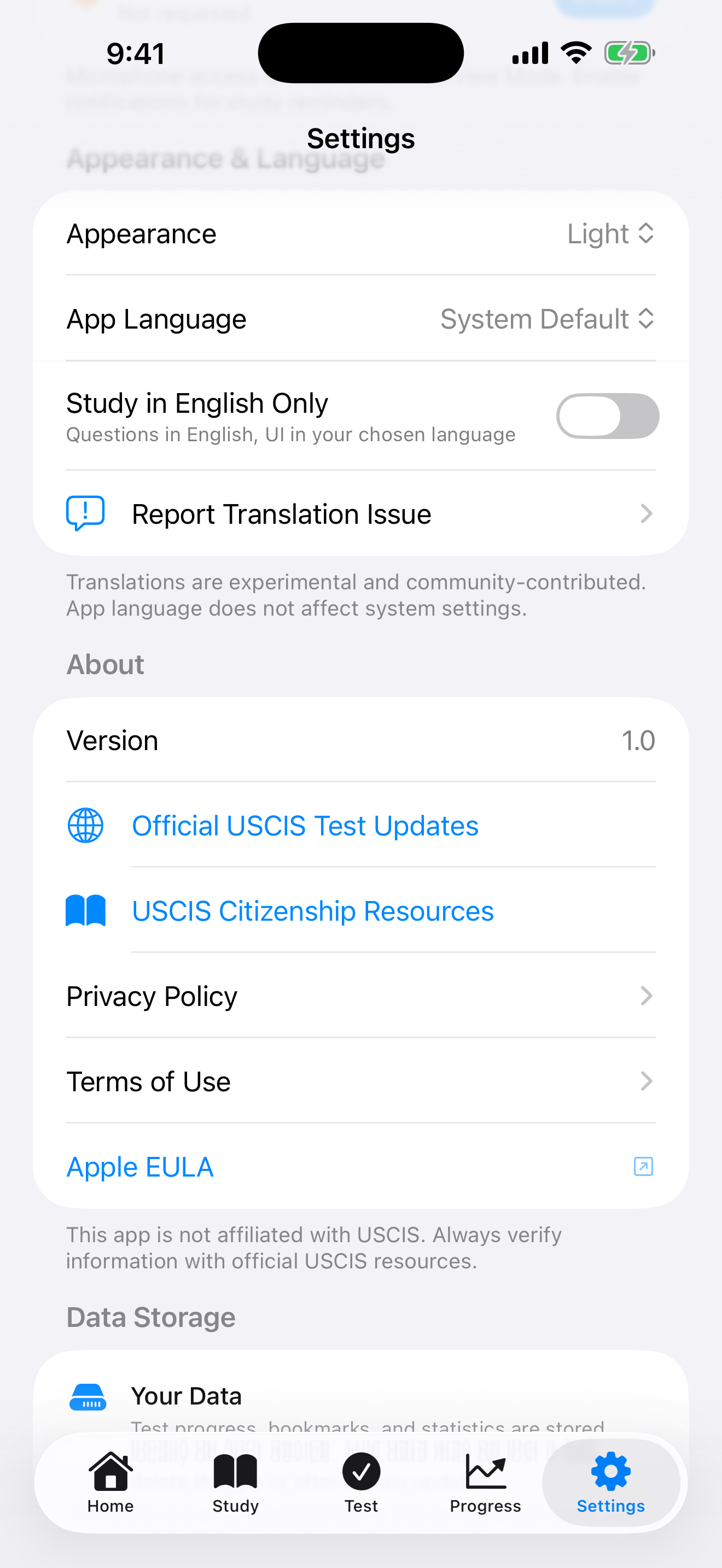
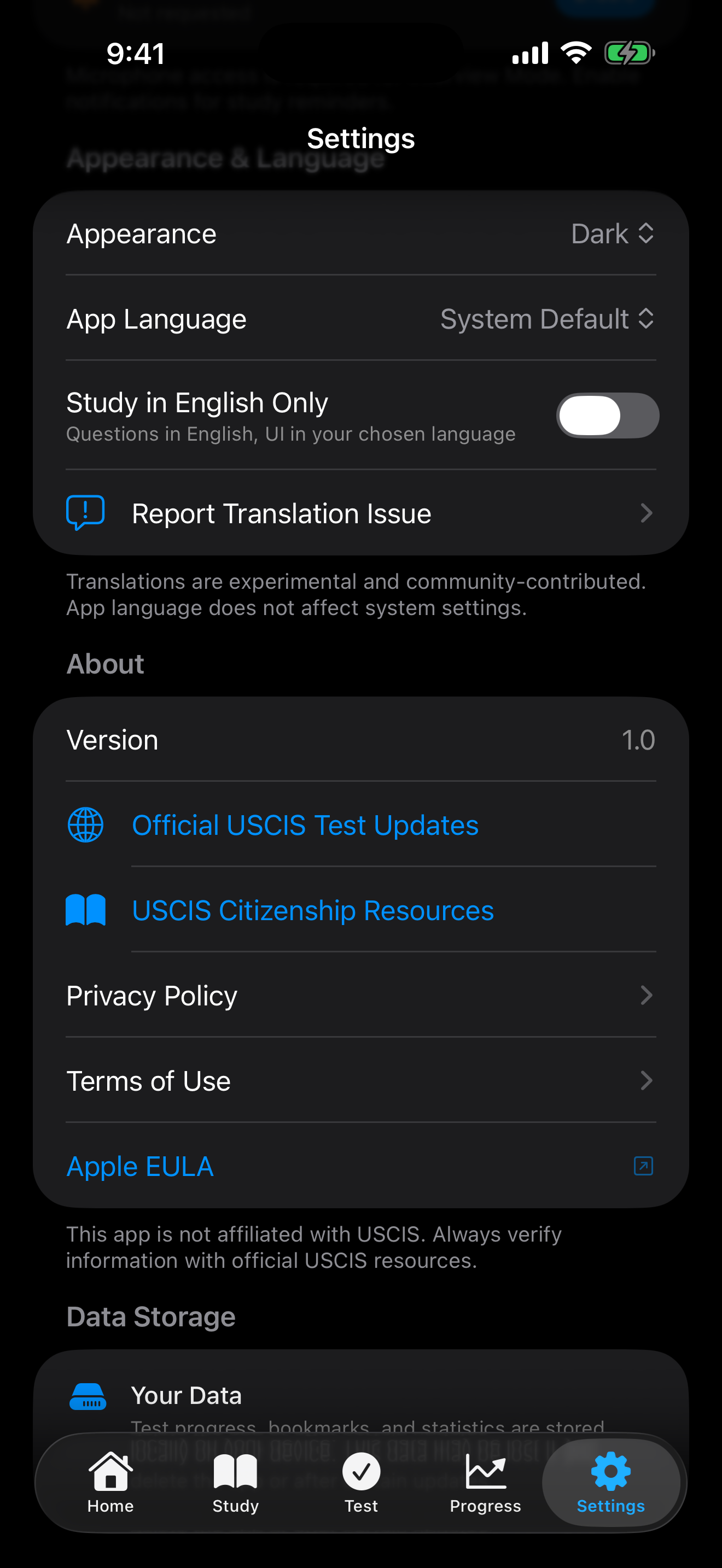
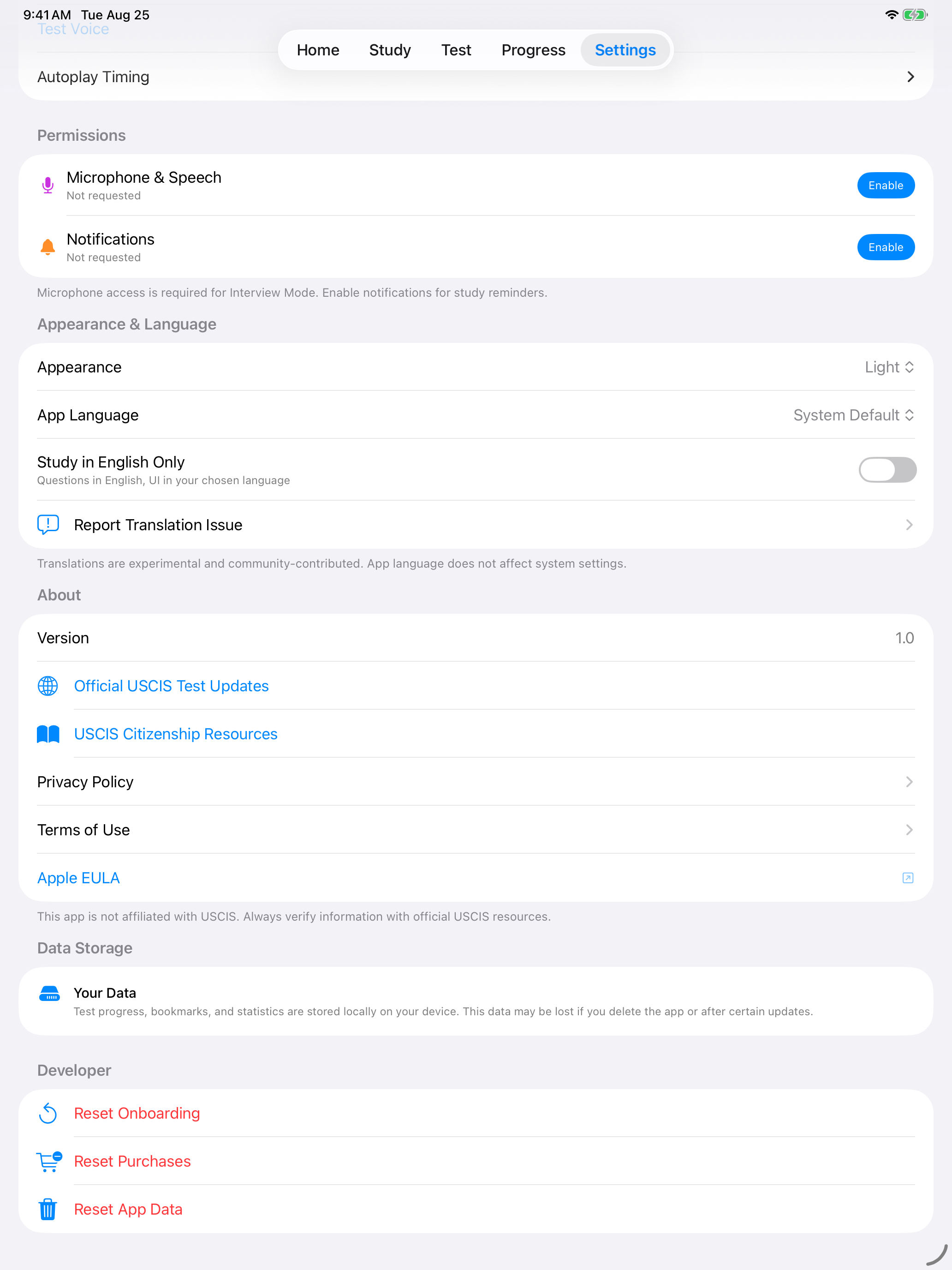
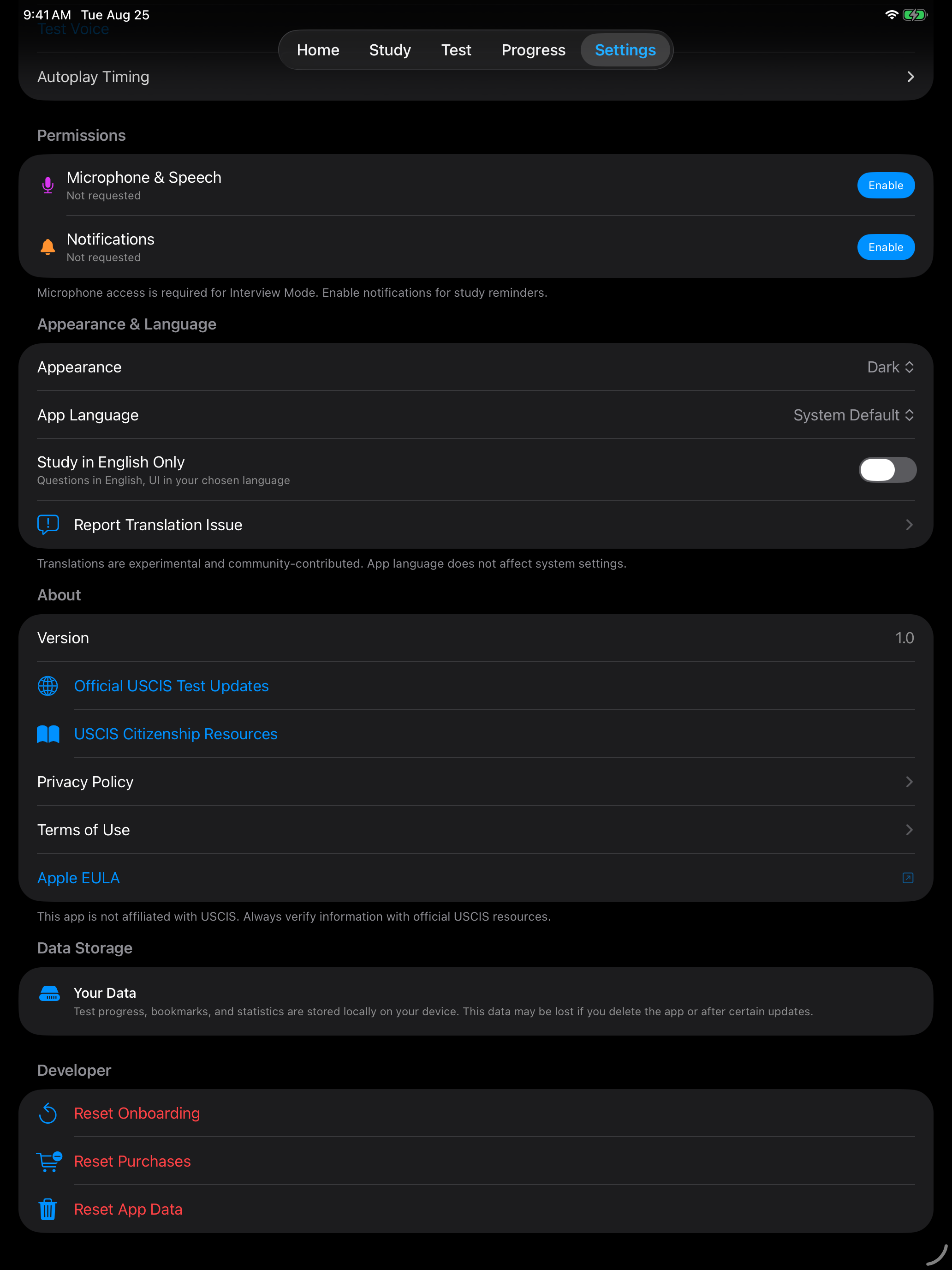
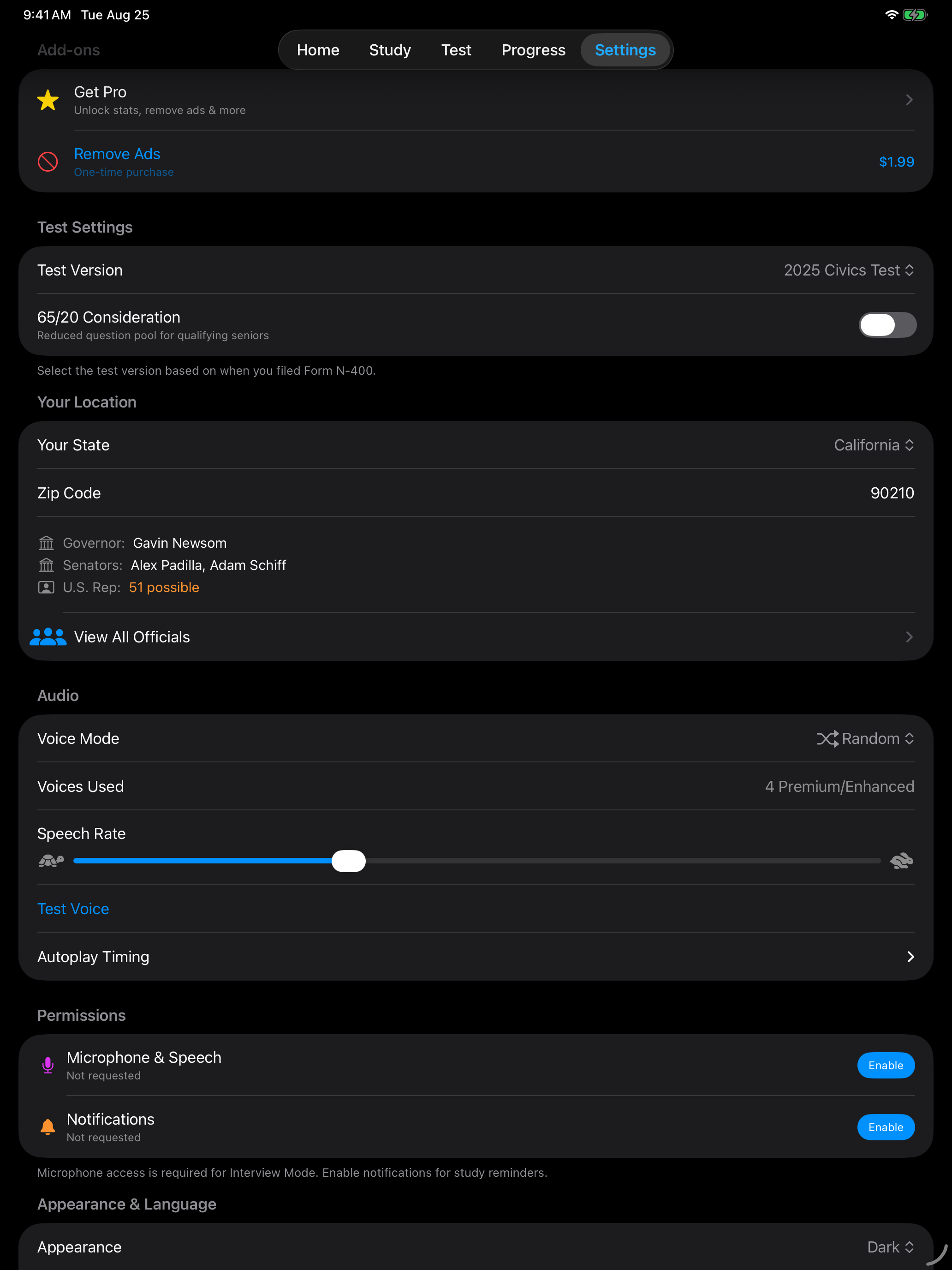
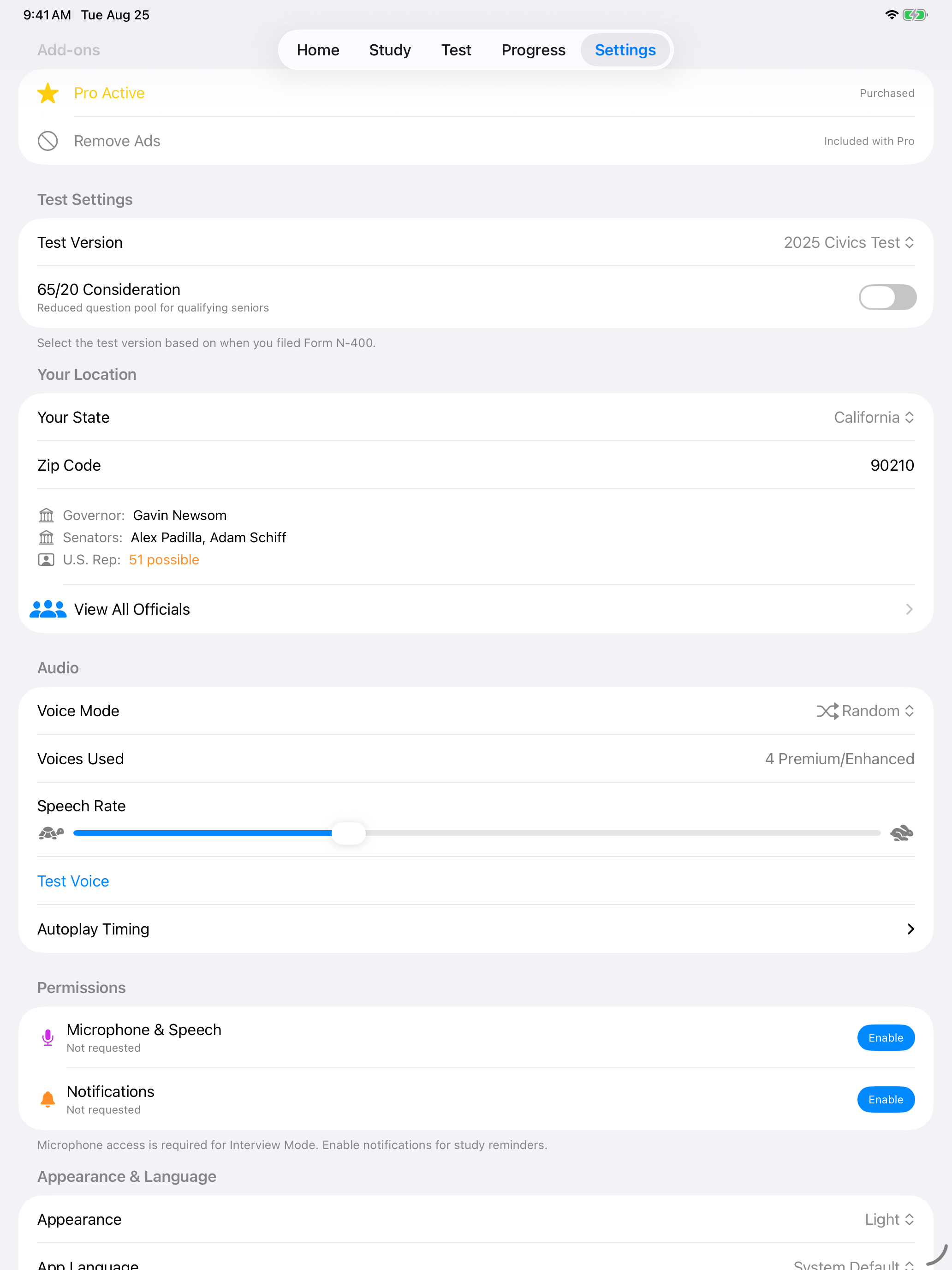
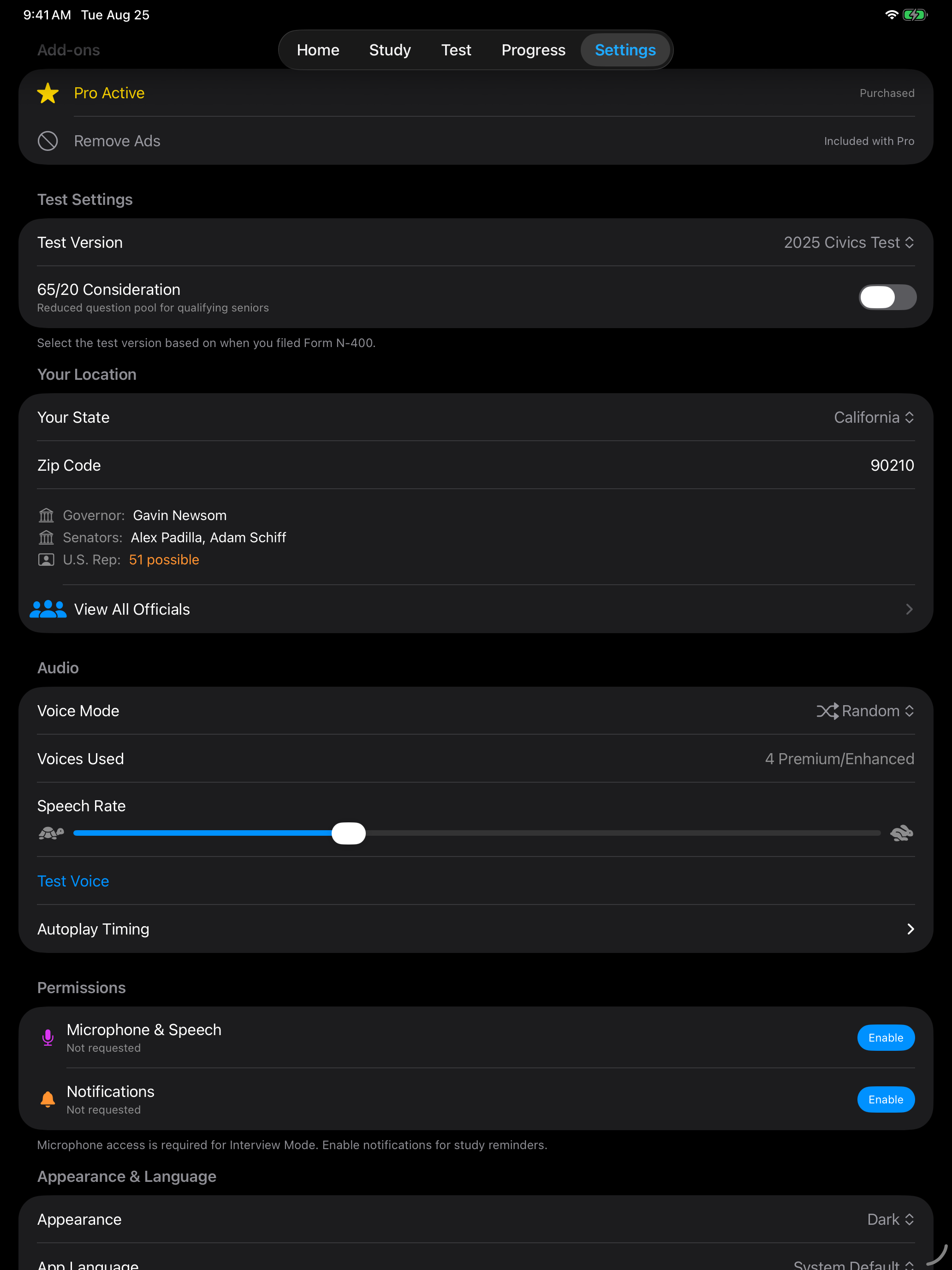
Choose the visual theme that suits your study sessions. The Theme picker sits directly above the language picker in the same card, shown in the screenshot above.
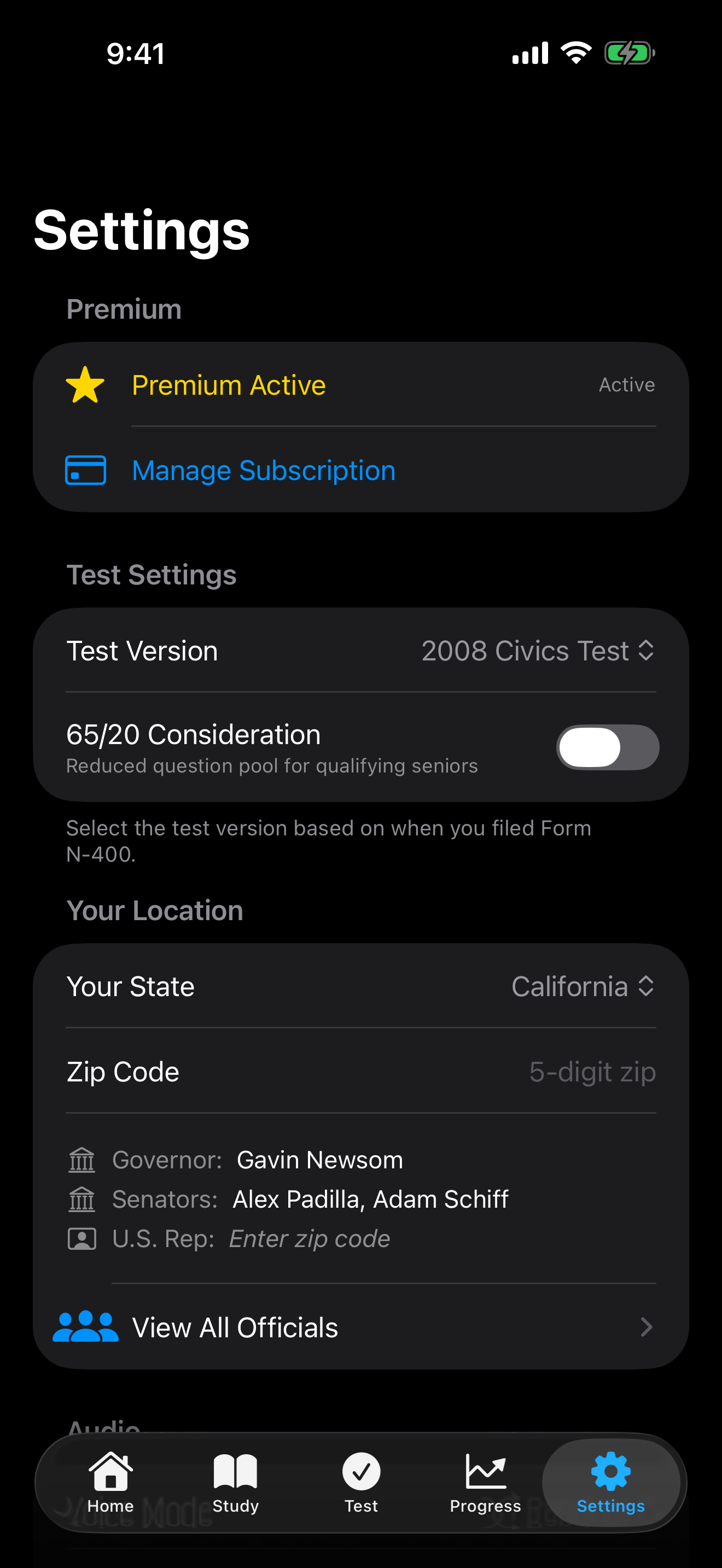
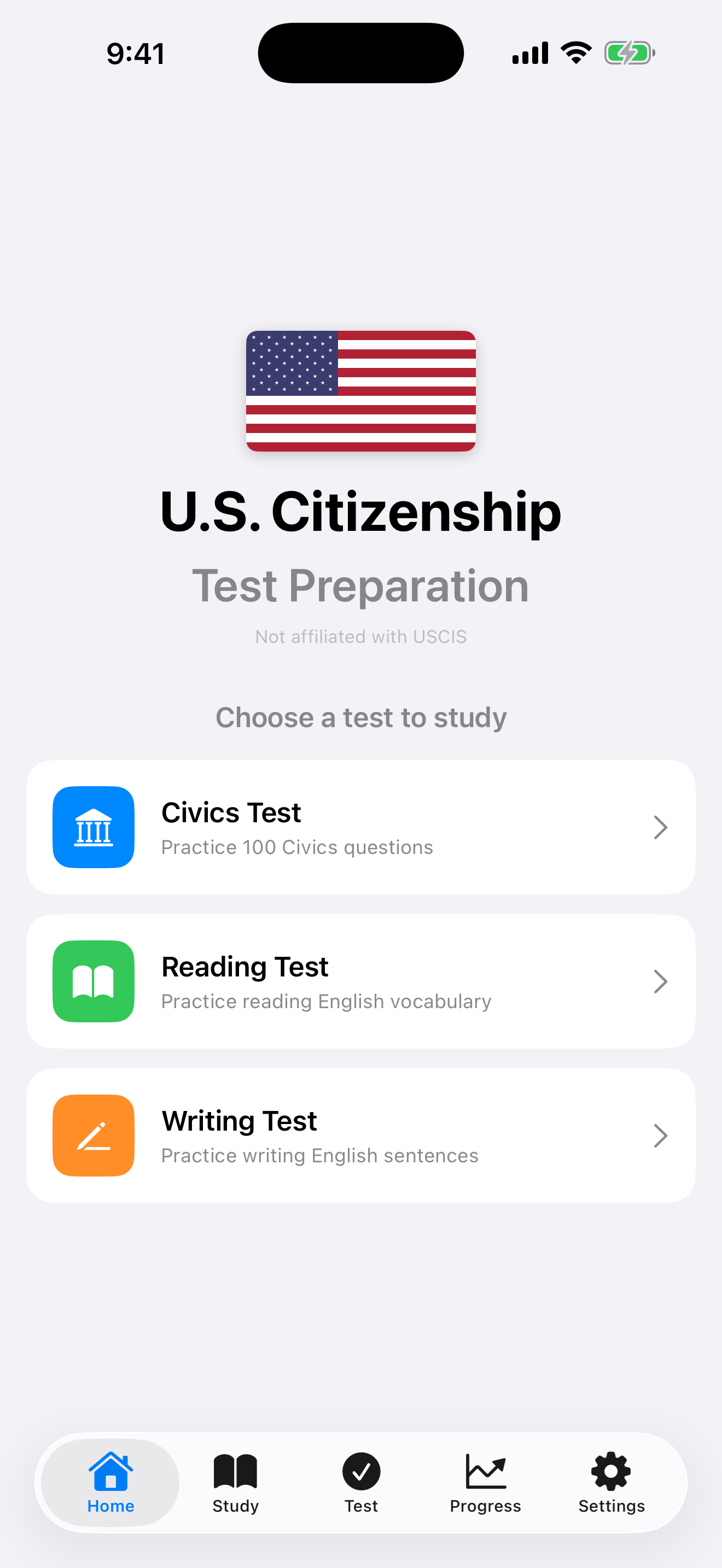
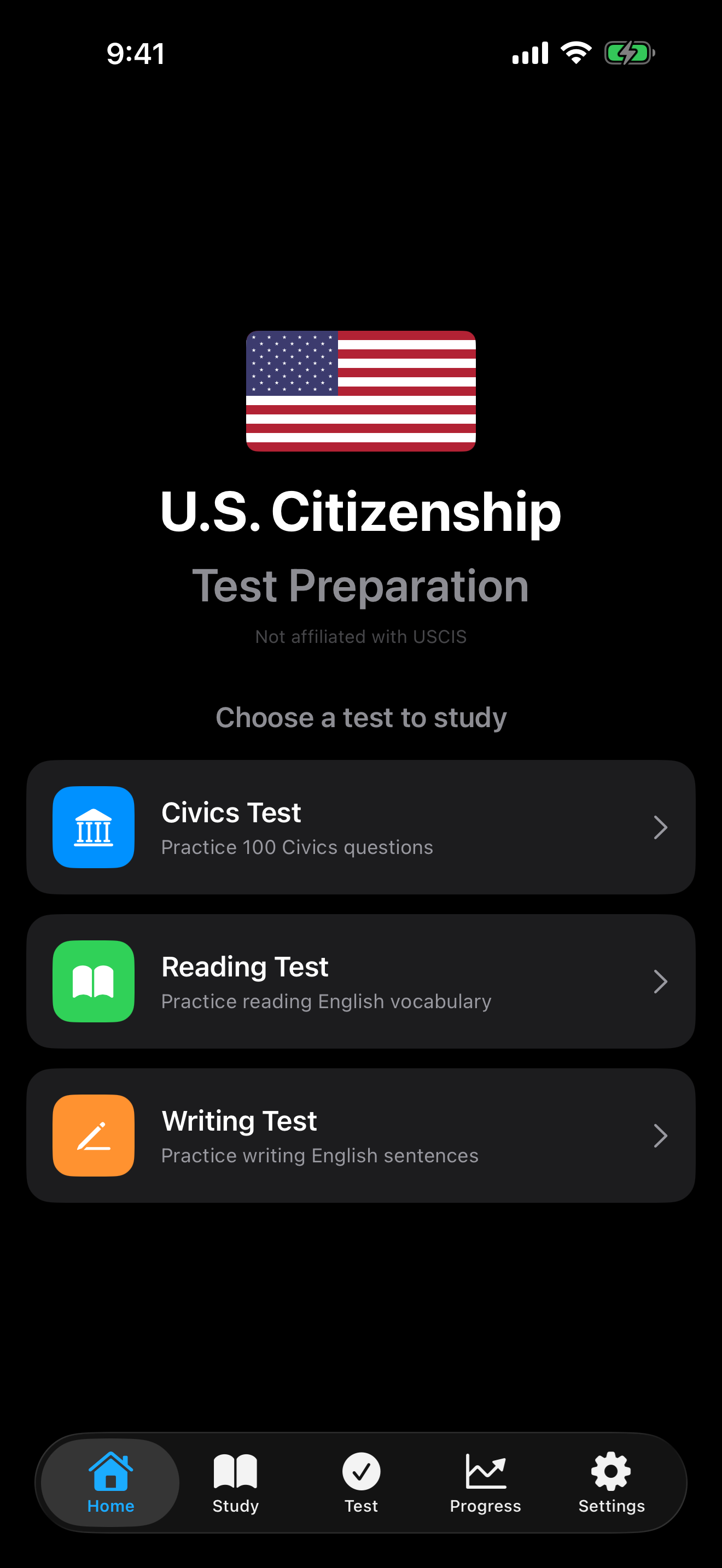
Both themes are designed for readability, so color still carries meaning in the dark. Here is the home screen in each.
| Setting | Options | Description |
|---|---|---|
| Theme | System Default, Light, Dark | By default, the app follows your device setting. You can override this to always use light or dark mode. |
Add-ons
Purchases live in the Add-ons section at the top of Settings. All core study features are free, so this section is entirely optional. See Pro for the full comparison.
| Purchase | Type | What you get |
|---|---|---|
| Pro Pro | One-time, $4.99 | Ad-free experience, detailed analytics, study streaks, extended history, missed-question review, home screen widget |
| Remove Ads | One-time, $1.99 | Removes advertisements and nothing else |
What the section shows
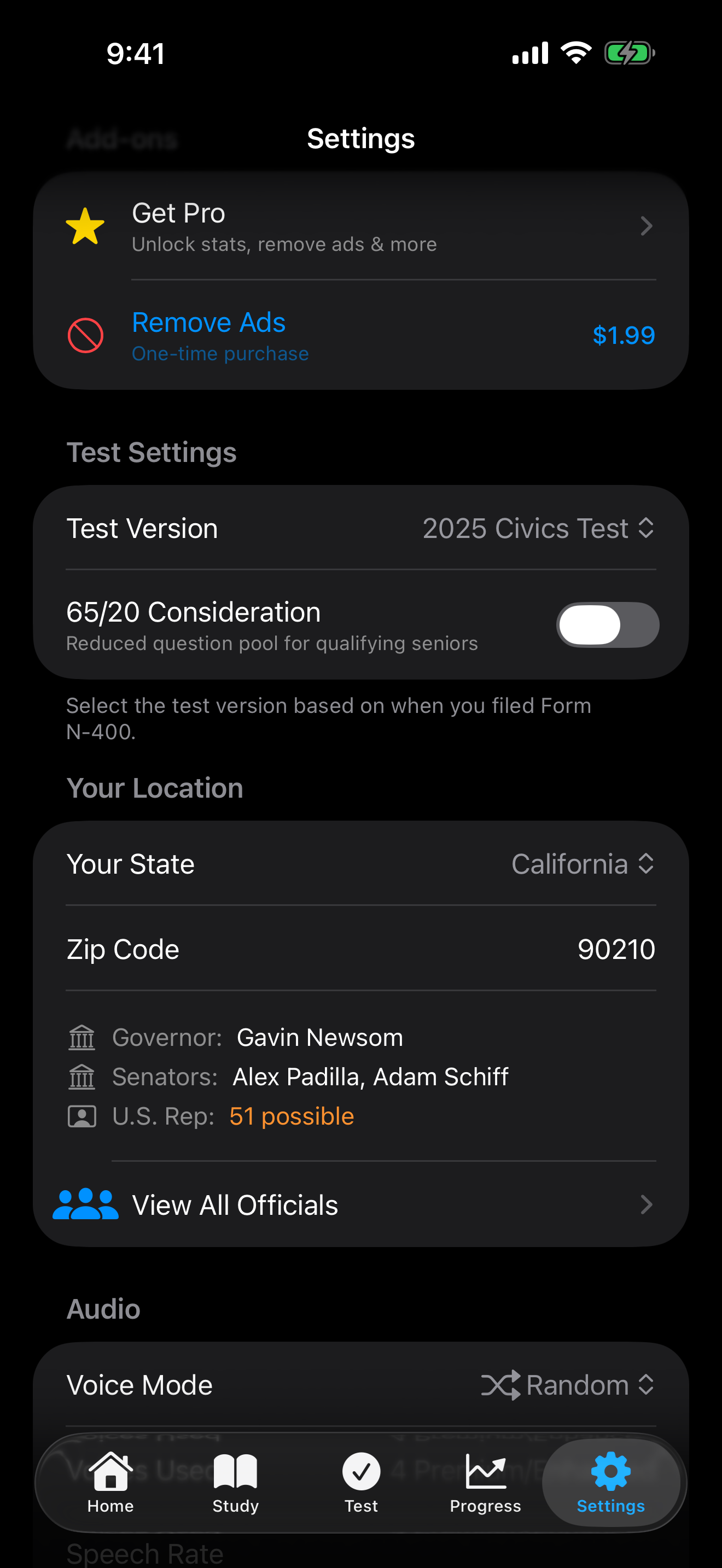
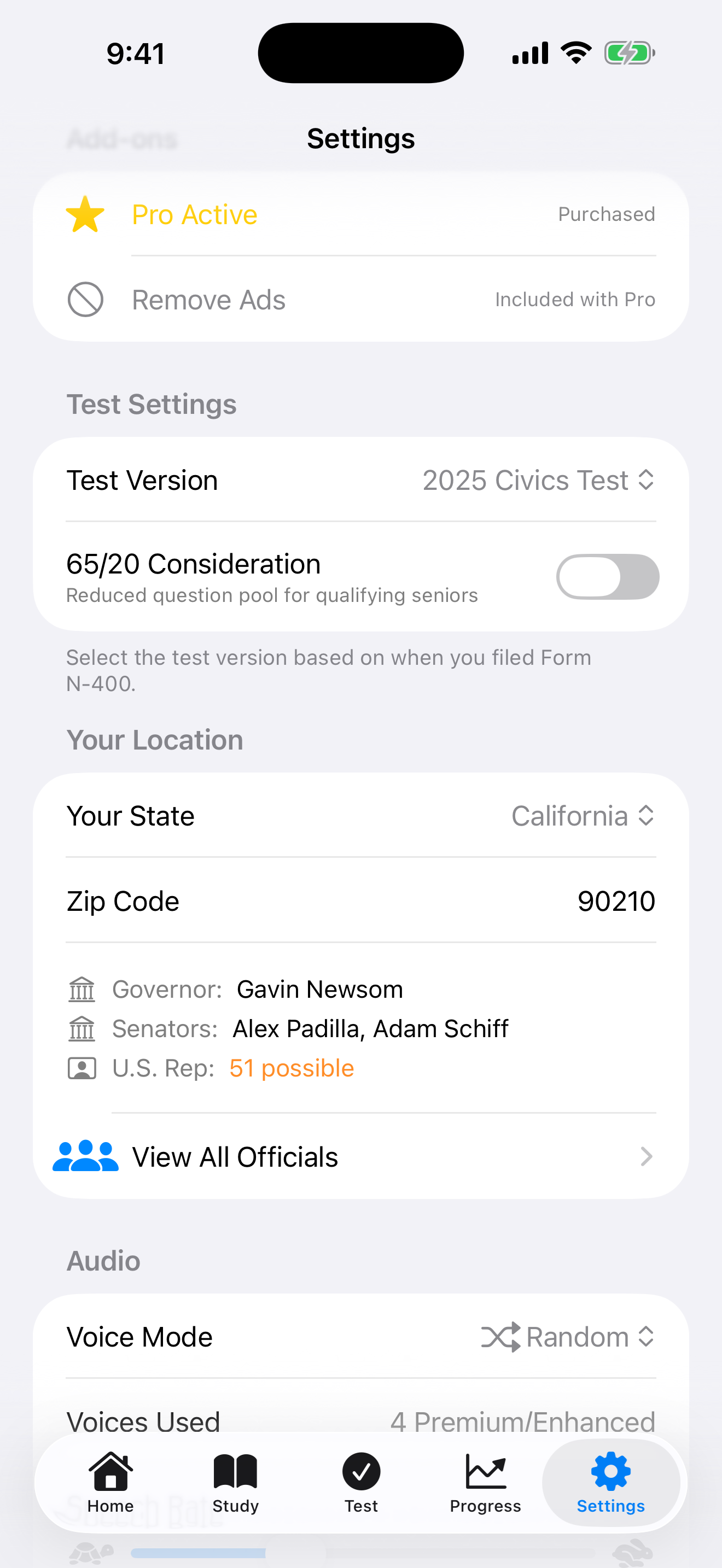
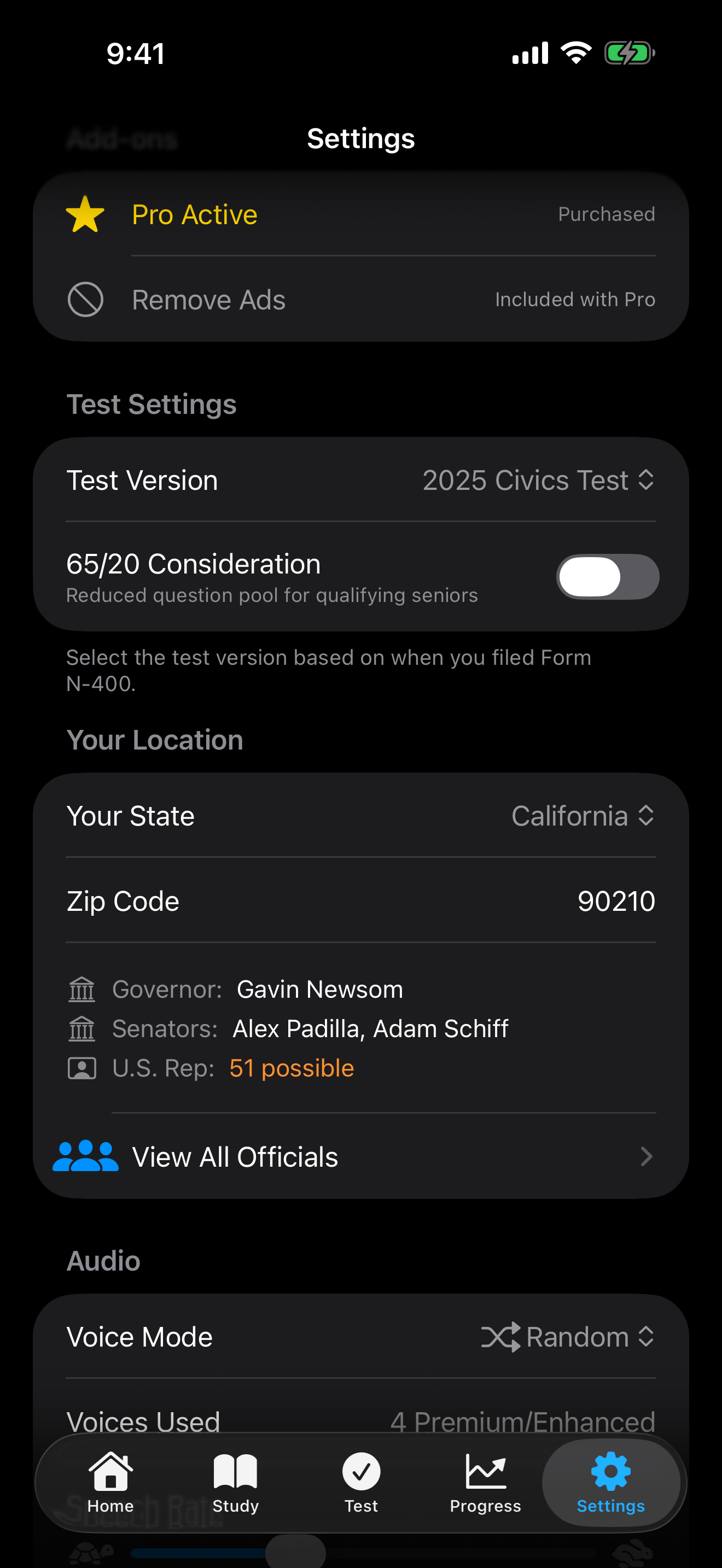
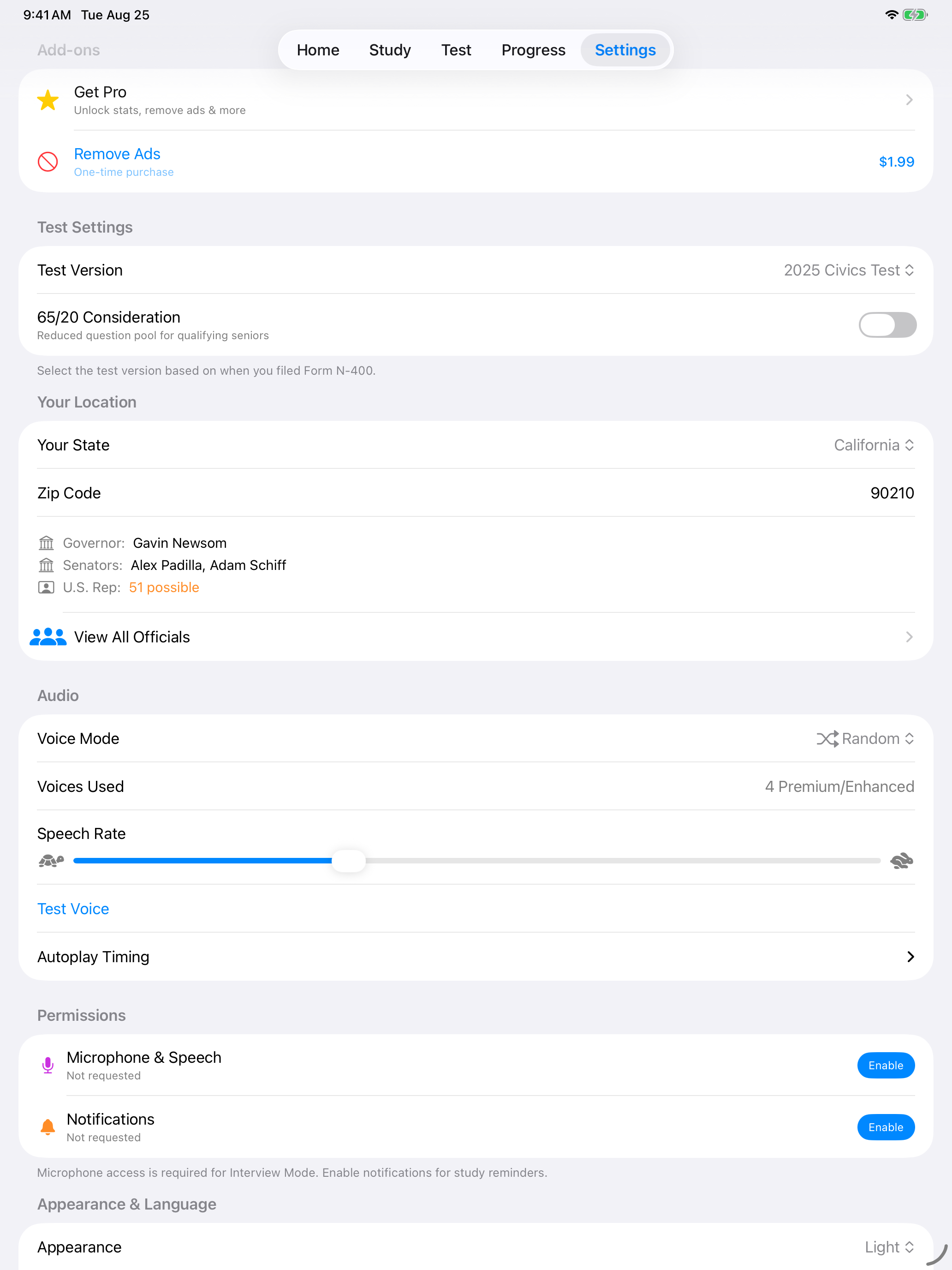
Before you buy anything, Add-ons lists both purchases with their prices. Once you own Pro, the section becomes a status readout instead. Pro shows as active, and Remove Ads is greyed out and marked Included with Pro, so it is clear you do not need to buy it separately.
Before buying. Both purchases are listed with prices.
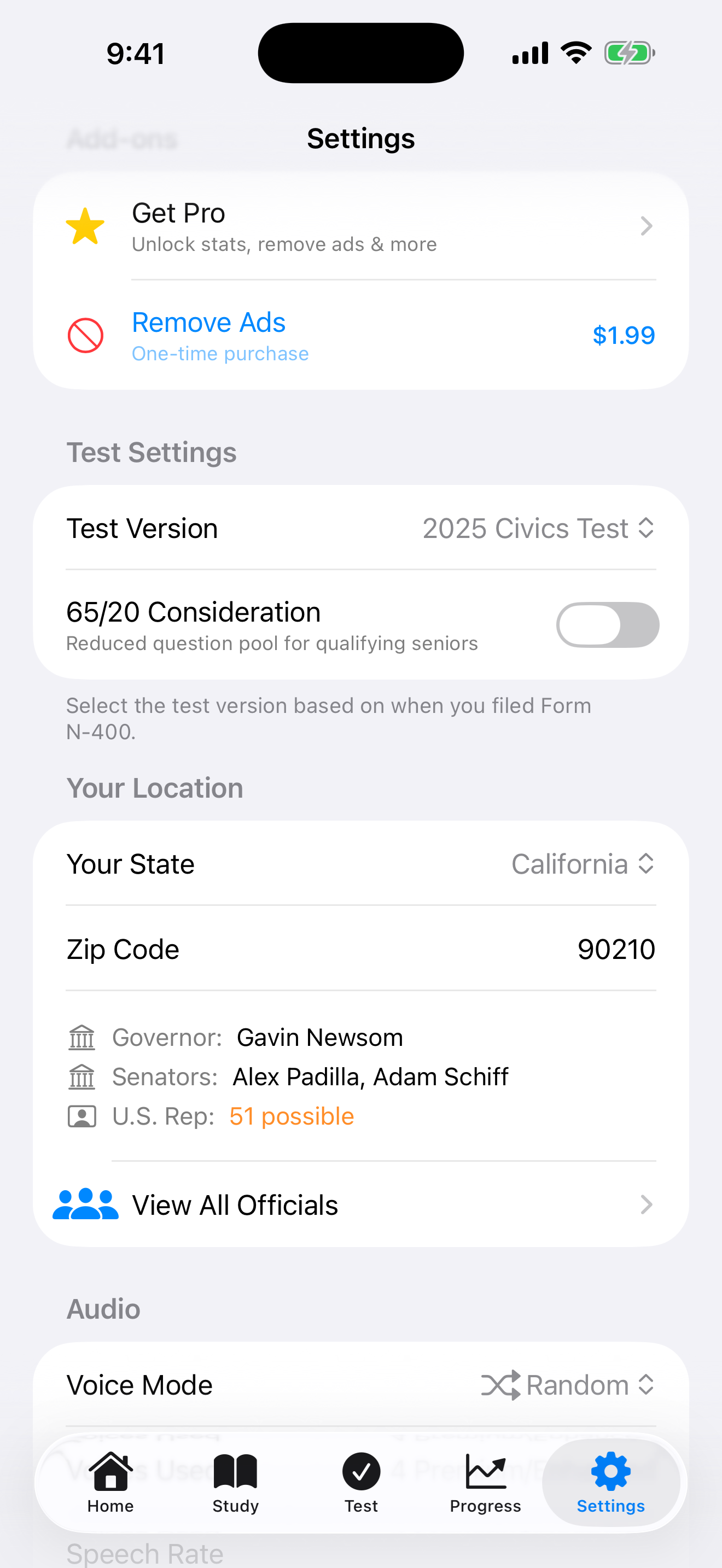
With Pro. Remove Ads is greyed out and marked as included.
Before buying. Both purchases are listed with prices.
With Pro. Remove Ads is greyed out and marked as included.
Tap Restore Purchases if you have reinstalled the app or switched devices. Restoring does not charge you again, and your purchases are tied to your Apple Account rather than the device.